

Using AirVault
How to Use the Address Book
Save names for addresses in Lensly's address book, then see them in signing reviews and in Lumio after you pair. Covers entries and re-pairing.
Add an Entry in Lensly
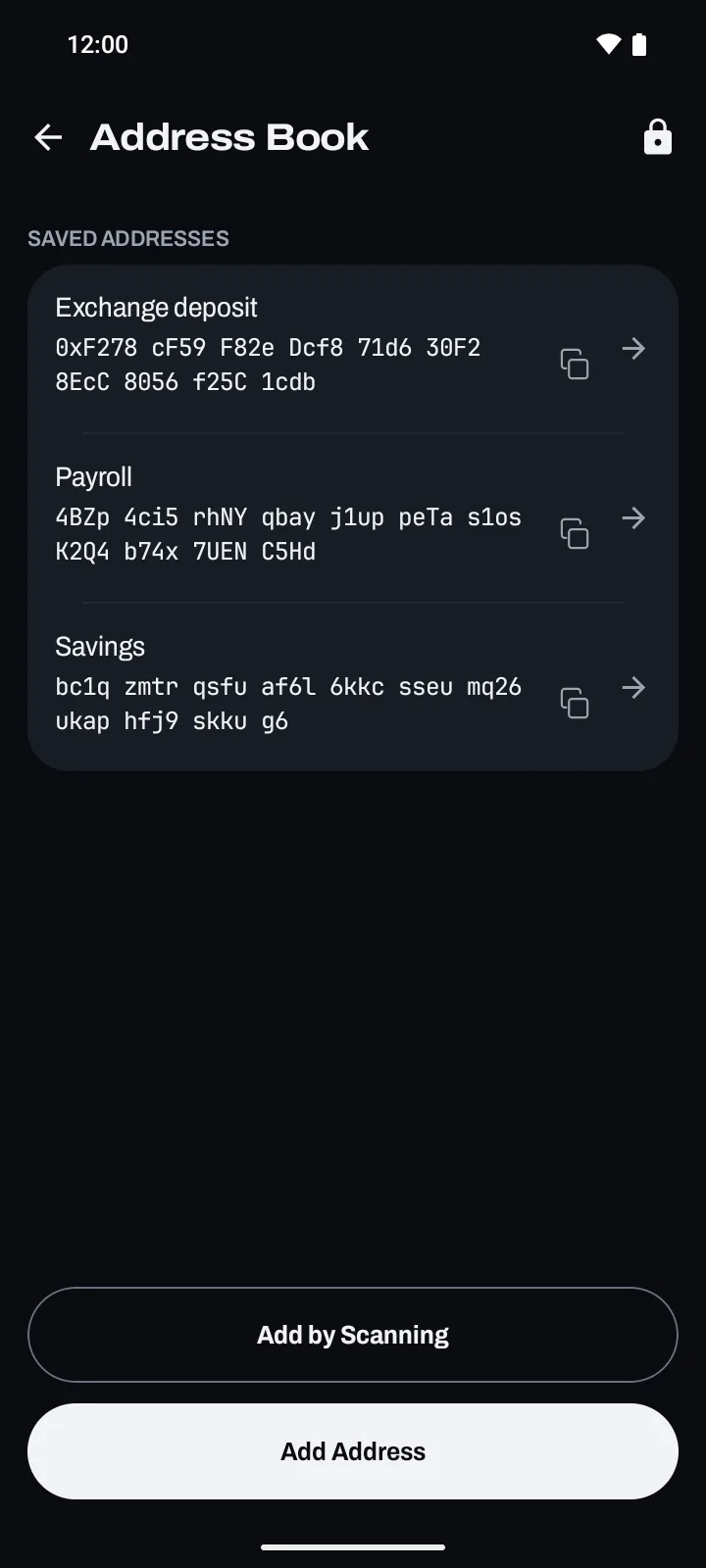
- Tap Settings in the bar at the bottom of the Lensly home screen, then open Address Book.
- Tap Add Address to type an address, or tap Add by Scanning to scan a code that Lumio shows.
- Fill in the form, then tap Save. The form has these fields:
- Address is the address. Lensly sets the Network from the address, and you cannot change it.
- Address Name is the name that Lensly shows for the address.
- Address Label is an optional label. The form shows No label when it is empty.
- Address Notes holds optional notes. The form shows No notes when it is empty.
You can also add an address from a review record in the history. To change an entry, open it from the list. The form is then titled Edit Address, and it has a Delete Address action.
See Entries in Lumio
Lumio shows the address book that Lensly shares at pairing. Lensly shares the first 500 entries, in the order you added them, and Lensly’s address book screen says how many are left out.
- Pair the wallet with How to Pair Lumio with Lensly.
- In Lumio, open an account and tap a transaction in its Activity list. Tap an address in the transaction to open its Address Book sheet. You can name the address there, or remove its entry.
- To read the whole list for a wallet, open Address Book in Lumio’s Settings.
9:41
TESTNET · TEST FUNDS HAVE NO VALUE
Transaction
Sent 0.25 MON
21 Nov · 14:02 · Confirmed
To
FA
FamilyAddress book · Group Household
0x4b1e2c90f7a366d108be9a4c13f5e2d87b6aa07c
From
PN
PulsarNova#5Your account · 0x1020…122b
NetworkMonad Testnet · ID 10143
Fee0.0021 MON
Block41,208,337
Hash0x8c1f…9e02
View on Monad Explorer
Next Steps
Use saved addresses when you send, following How to Send a Transaction with Lensly and Lumio. Pair the wallet again after you change entries, using How to Pair Lumio with Lensly.